
Details slip away
Shit, I forgot. His concern is price or what, ya?
→ Fixed by AI ScribeAI for insurance agencies
The problem
Shit, I forgot. His concern is price or what, ya?
→ Fixed by AI ScribeDamn, it's Sunday already. Have I sent the quotation that Encik Abdul requested?
→ Fixed by AI TaskOh My God!, wait.. Am I meeting him next week or this week?
→ Fixed by AI CalendarOkay, my first priority is my highest-potential client. But wait, Uncle Lim said he wants the proposal this week because he’s going to buy this week too. Holy crap, why does everything feel so urgent?!
→ Fixed by AI Follow-upHow it works
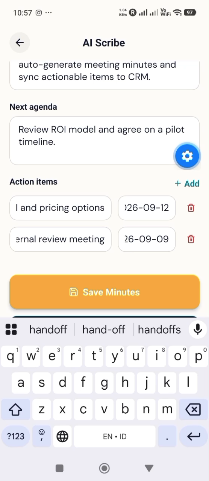
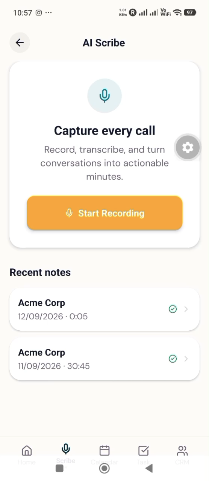
Upload your meeting recording or record directly using AI Scribe
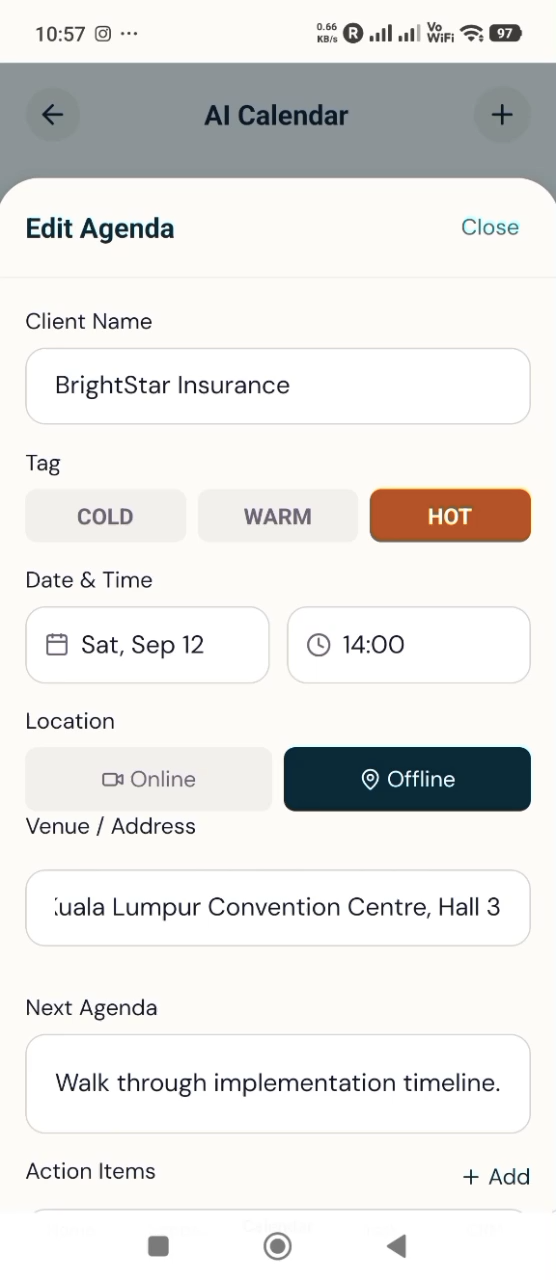
Once the agenda items are automatically added from AI Scribe, review them and make sure everything is correct so the AI Calendar can remind you later
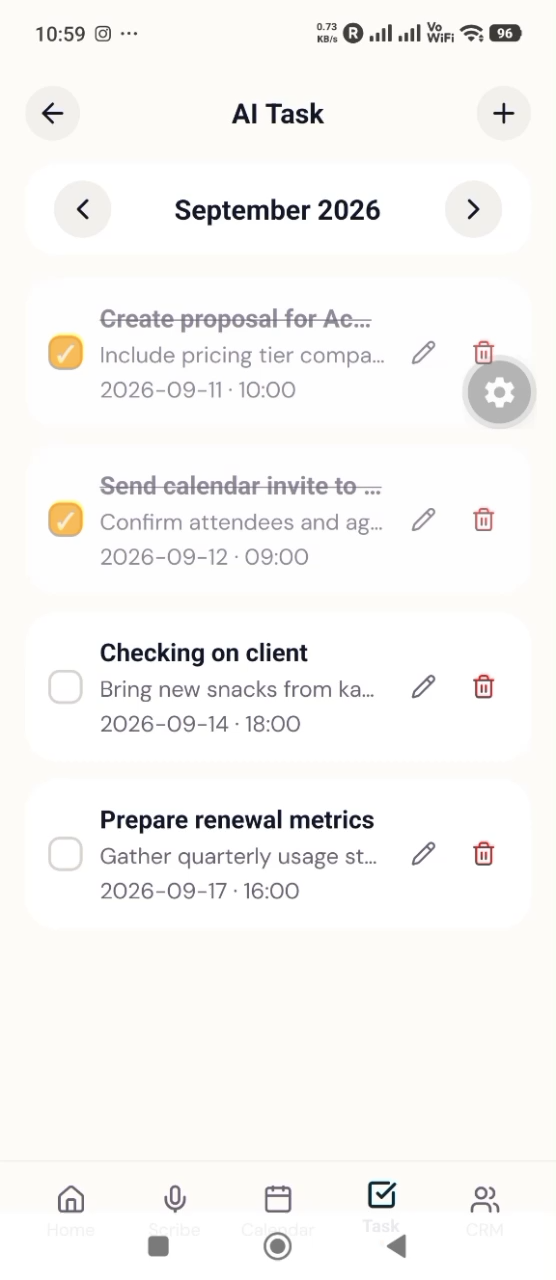
Once tasks are generated based on your meeting recording, make sure everything is added, or add more tasks as you wish
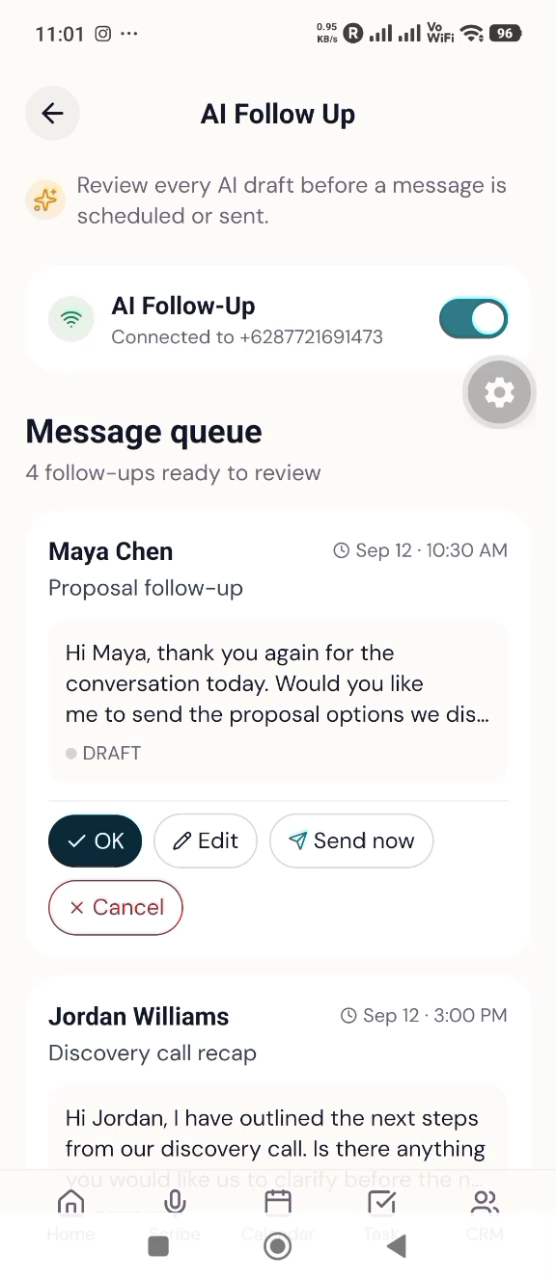
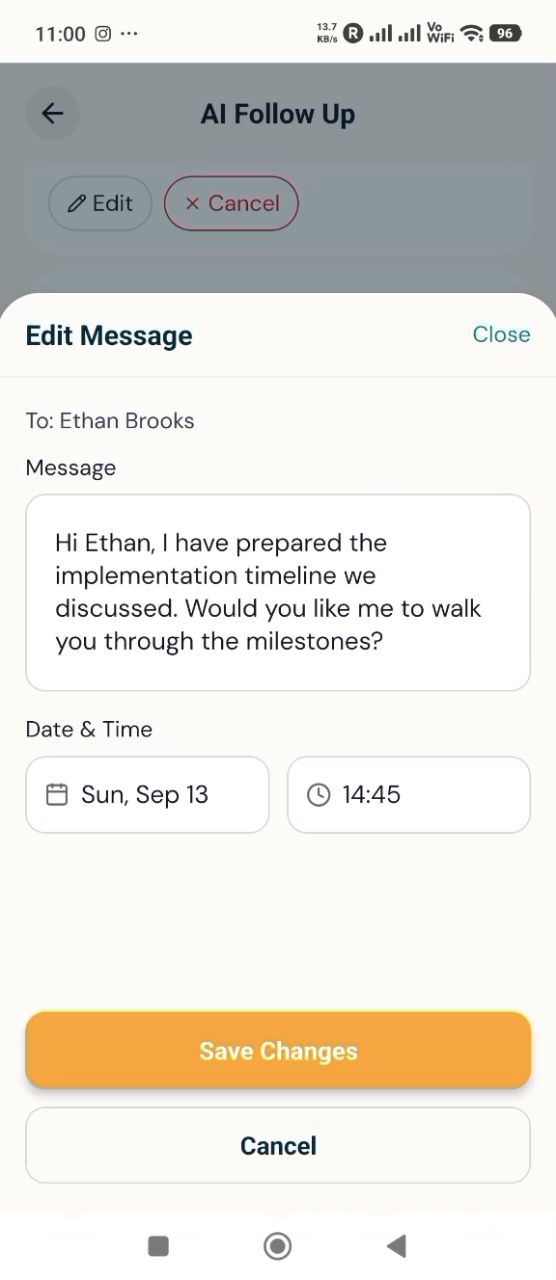
Your AI-generated WhatsApp follow-up drafts are also there. You can edit them or simply approve them. You can set the AI to send them automatically or send them manually
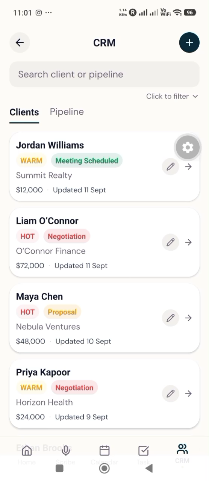
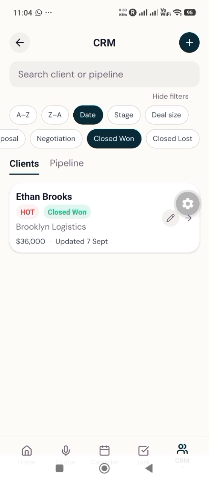
Update your won deals or ghosting pipeline in your CRM.
Every AI output waits for a human yes. That's not a limitation, it's the design.
The product
AgentixForge is an app that helps you transcribe meetings, generate tasks, manage reminders, schedule meetings, create follow-up lists, and keep all your client data accurately organized.
Notes, written for you
Capture meetings, auto-generate upcoming agenda items, actionable tasks, follow-ups, and CRM-ready client data!
Explore →Same-hour, every time
Review & approve AI-generated WhatsApp follow-ups, edit your messages, and choose when and how to send them; automatically or manually.
Explore →Promises, kept
Tasks are also automatically generated, including proposals to prepare, items to bring to your next meeting, etc.
Explore →Walk in prepared
Review & approve AI-generated agendas, and get reminders for upcoming client meetings.
Explore →Pipeline that logs itself
All your client data, neatly organized in your CRM. Need to create or update a sales pipeline? Just check your CRM!
Explore →Built for the whole agency
⭐ Free tool — no signup
“We went from next-day follow-ups to same-hour. Scribe writes it, the agent approves it, and the client gets it before they've left the parking lot.”
$0 forever
Taste the whole suite on real meetings.
Start free → Most popularRM149 per month · ≈ US$35
For the agent who lives in meetings.
Start free →RM499 per month · ≈ US$116
The whole agency, one shared brain.
Book a demo →Running a bigger agency? Custom agreements with SSO and regional data residency — talk to sales →
FAQ
Recordings are encrypted in transit and at rest and auto-deleted within 24 hours. Audio is never used to train models, and every outbound message requires human approval before it's sent. We're aligned with PDPA and GDPR.
Never. Every follow-up is a draft. A human on your team reviews and approves before anything is sent — that's the whole point of AgentixForge.
English, Mandarin, Malay, Tamil, Bahasa Indonesia, Cantonese and more — including the code-switching that happens naturally in real meetings.
We connect through the WhatsApp Business API using your approved number, so follow-ups come from your brand. Prefer copy-paste? That works too.
Life, health, general/property, and employee benefits. The case note structure adapts to the products discussed in the meeting.
It's deleted within 24 hours by default (configurable). Only the structured case note and approved messages are kept — yours to export anytime.
Start free, see a real case note from a real meeting, and decide from there.